|
Building your dream Computer (Part 1 - An introduction to computer building)
- By Eric Wolff
 In the previous three articles, I adressed the advantages
and disadvantages of various store bought computers. The purpose of the next set of articles is to
discuss building your own from the ground up. This article is going to delve into the benefits and
the drawbacks of building your own computer. Building a computer is not for everyone, but there is
a certain sense of satisfaction in knowing that you built your computer yourself.
In the previous three articles, I adressed the advantages
and disadvantages of various store bought computers. The purpose of the next set of articles is to
discuss building your own from the ground up. This article is going to delve into the benefits and
the drawbacks of building your own computer. Building a computer is not for everyone, but there is
a certain sense of satisfaction in knowing that you built your computer yourself.
There are many different companies out there that provide many good (and not so good) computers, so
you are probably thinking "Why should I go to the trouble of building a computer when there are
companies that will do it for me?" There are many reasons to build your own computer which range
from cost to bragging rights. But the best reason to build a computer is the knowledge that you will
take away from it. If you have ever installed a new modem, RAM, or other device into your computer,
you are already familiar with the workings of a computer.
When I built my first computer, I knew very little about them, but I had already added parts to my
aging computer. I knew it was time to put the old computer out to pasture but I really did not want
to buy a new computer. So I decided to build my own. With some research and some elbow grease, I had
a brand spanking new computer for less than a new store bought computer.
Let's talk about cost first. Typically, you can build a computer that is similar in specs to a
store-bought computer for less money. When you buy a store bought computer, you are paying for more
than just the computer itself. You are paying for all of the software that you may never
use, warranty and tech support, and the development of making the computer. Like all products, you
pay more for a certain brand name just like you would pay a higher amount for a pair of shoes with
the name Nike on them. When you build your own computer, you can pick out exactly what goes into
the computer and what software you want to use on it.
Although many stores sell various computer parts, only a handful sell everything you need to build
a computer. A store like Fry's Electronics is a good place to start, because everything you need
can be found at one location. Most employees are very knowledgeable and can help you
find what you need. The other alternative is to purchase computer parts online. Typically computer
parts are much cheaper online, because there are hundreds of stores competing for your business as
opposed to one or two local stores.
Now let's talk software. Most computer manufacturers will pile a ton of software onto their
computers to make them look like you are getting a good deal because of all of the extras. The
problem with this is that all of those extra programs take up space on your hard drive. This will
affect the performance of the computer because there is so much stuff running on it. And, most of
this software will never be used by your average computer user. When you build your own computer,
you will have to at a minimum buy an operating system (OS) to run on it. The most common OS is
obviously Windows, but there are alternatives out there like Linux.
If you have ever looked at Windows in a store, the price is pretty steep. For example, the retail
price of Windows XP Professional is between 250.00 and 300.00. That is a lot of money. But Microsoft
also has what they call OEM versions of their software. When you buy certain pieces of computer
hardware, you are entitled to purchase the OEM Version of Windows at a significant discount to the
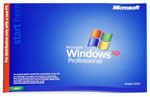 retail price. The OEM version of Windows XP Pro costs between 100.00 and 150.00. That is a
significant difference in price. The OEM software must be purchased at the same time as the
qualifying software though. Most retailers do not carry OEM versions of Microsoft products.
You would have to either order from an Online Retailer or go to a specialty shop like Fry's
Electronics. I should mention that the only difference between an OEM and Retail version of
Windows is the packaging. An OEM version is not crippled in any way, although you cannot legally
install it on a different computer even if you are no longer using the computer you bought it for.
retail price. The OEM version of Windows XP Pro costs between 100.00 and 150.00. That is a
significant difference in price. The OEM software must be purchased at the same time as the
qualifying software though. Most retailers do not carry OEM versions of Microsoft products.
You would have to either order from an Online Retailer or go to a specialty shop like Fry's
Electronics. I should mention that the only difference between an OEM and Retail version of
Windows is the packaging. An OEM version is not crippled in any way, although you cannot legally
install it on a different computer even if you are no longer using the computer you bought it for.
In previous articles, I mentioned that many store bought computers use cheap parts in their systems
because they get them in bulk for a discounted price which is not passed onto the customer. Cheap
parts cause two problems - reduced performance and less reliability. A piece of hardware from a
good manufacturer will last much longer than a no-name component. Plus you have the ability to
pick exactly what goes into the computer. Need a DVD burner? No problem! How about more
memory or Hard Drive space? You can choose how much you want. Memory is one of the best (and least
expensive) ways to get more performance out of your machine. Many computers still ship with 128mb
or 256mb of RAM which is barely enough to run common tasks. With 512mb of RAM, you will notice a
significant increase in productivity.
Another benefit of building your old computer is that you can recycle parts into the new computer.
For example, things like the floppy and CD-ROM drives can be implanted into the new computer so
save money. You can also (under some circumstances) put RAM and hard drives into the new computer.
This frees up money for other areas of the system. Plus, when you decide to upgrade down the road,
you do not have to replace the entire system, only certain parts. This creates a huge savings in
the long run.
Now that I have told you the benefits of building your own computer, I should mention the drawbacks.
I cannot stress enough that building a computer is not for everyone. It is not very hard to build a
computer, but if you are not careful, you can damage a part during the assembly process which
normally is not covered by warranty. You can also run into compatibility problems. These days it is
not as common, but if you buy two components that do not like each other, you will end up with a
computer that likes to crash often and it can be difficult to determine who the culprits are.
Another thing to consider is that when you build a computer, there will be no one to call for
support if you have a problem. This means if Windows will not start you will either have to call
a friend, take it to a shop, or figure it out yourself. Also you will have to rely on the
manufacturer's warranty in case any component goes bad. Typically, warranties on components last
much longer than the warranty on a store bought computer, but you have to deal with various
companies as opposed to one company.
Finally, you have to consider software. Aside from drivers, you will get little or no
software with the components you buy when building your own computer. Some manufacturers will bundle in things like DVD playing
software with a DVD Rom drive, CD authoring software with a CD-RW drive, and so on. A few video
card manufacturers bundle in versions of graphic editing programs with their video cards too.
Anything else you want you will have to go out and buy.
You will definitely need an OEM version of Windows. Windows comes with Outlook Express and
Internet Explorer, so you have what you need to get online. But you will also have to go out and
buy a virus scanner or you risk damaging your computer if it becomes infected. If you want a
business suite, you will have to get something like Microsoft Office or Corel WordPerfect. Microsoft
has a word processing program bundled into Windows known as WordPad, but it lacks many of the
features that Microsoft Word has. If you buy a pre-built computer it will come with all of these
things.
If I haven't scared you off yet you are well on your way to building your computer, but there is
a long way to go. One of the benefits of the Internet is it's wealth of information. You can find
information on pretty much anything you can think of without leaving the comfort of your home. There
are many websites out there that can aid you in making educated decisions on your purchases. Price
Watch is a huge database of computer hardware. They catalog every computer component (and then some)
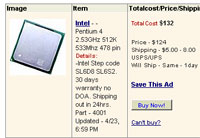 and tell you who has the lowest price. This way you can find what online retailer carries the
components you want for the best price. Many people are leary of buying things online because there
is always the risk of fraud. That is why the website Reseller Ratings is an invaluable tool. The
website has a listing of thousands of online retailers where people can relay their experiences
(or horror stories) with the world. This way you can see if a company is deserving of your hard
earned money. There are also many sites out there that give information about new computer goodies
that are either out or coming down the road. Sites like Anandtech and Toms Hardware are great resource tools.
And of course, if you are looking for a deal there is always eBay.
and tell you who has the lowest price. This way you can find what online retailer carries the
components you want for the best price. Many people are leary of buying things online because there
is always the risk of fraud. That is why the website Reseller Ratings is an invaluable tool. The
website has a listing of thousands of online retailers where people can relay their experiences
(or horror stories) with the world. This way you can see if a company is deserving of your hard
earned money. There are also many sites out there that give information about new computer goodies
that are either out or coming down the road. Sites like Anandtech and Toms Hardware are great resource tools.
And of course, if you are looking for a deal there is always eBay.
Well, that about does it for this time around. I have provided links below to all of the sites I
mentioned in this article. Hopefully you will find them as informative as I do. Also remember that
you can use a search engine like Google or Yahoo to find even more information. As always, feel free to send suggestions or comments.
Until next time..
Price Watch - http://www.pricewatch.com
Reseller Ratings - http://www.resellerratings.com
Toms Hardware - http://www.tomshardware.com
Anandtech - http://www.anandtech.com
eBay - http://www.ebay.com
Eric Wolff,
Ulink’s “Hardware Guy”
thehardwareguy@ulink.net
|